
eMachineShop CAD
Bring your ideas to life!
Our FREE CAD tool makes designing custom parts simple.
Download now.


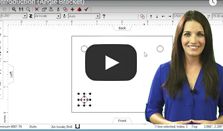
 Video
Video

 Article
What users say about our free CAD
“The free CAD software has a common-sense interface. It was a joy to design my first panel, and the result was perfect.”
“I used their browser CAD and tutorial to design my part. The team even helped me choose a better material before building.”

Powerful CAD Software
Packed with features experienced CAD users need, yet simple enough for beginners to use, our free software gives you control of an online machine shop.

Instant Pricing
Design 2D or 3D parts quickly. Get pricing instantly and order in seconds.
Expert Manufacturing
eMachineShop is dedicated to delivering the highest quality custom parts right to your door. From design to final product, we strive for 100% fidelity.

Easy to Use
See what seasoned engineers and novices are saying about our easy-to-use CAD software:

“The plan was to do only one trailer for our kids’ high school band. Now, high schools around the country want one of our trailers! We now have a two-year waiting list for our trailers, and ALL machined parts come from eMachineShop.”
Jeff H. and Drew T. Custom Trailer Fabricators Edmond, Oklahoma

“When sales took off for the LuxuryLite Ultralight Cot, I had a mold made to produce the parts in high volumes. I now sell Thermarest LuxuryLite Cots around the world using the cot feet designed using eMachineShop.”
Bruce W. LuxuryLite Cots Lake Jackson, TX

“I used eMachineShop to design and build an electronic firing system for professional fireworks displays. Since completing the build, I have used the system at countless shows, weddings, baseball games, and the prestigious Los Angeles Memorial Coliseum Fireworks display.”
Michael T. Professional Pyrotechnician Long Beach, California
Jeff H. and Drew T. Custom Trailer Fabricators Edmond, Oklahoma
Bruce W. LuxuryLite Cots Lake Jackson, TX
Michael T. Professional Pyrotechnician Long Beach, California
As Seen In:
